
On this page9 sections
Claude Code, Codex and Cursor; Pi, Hermes, OpenCode and Kandev; and Grok Bot as a coordinator above them. How the main AI coding harnesses differ, and why I match the tool to the job instead of crowning one winner.
A year or two ago the question was "which model is best for coding?" Now the model is only half the story. The other half is the harness: the program that wraps the model, gives it tools (read a file, run a command, edit code), manages context and sessions, and decides how much you see and approve along the way.
Two people using the same model through different harnesses can have completely different days. So it's worth choosing deliberately.
Short version: if you want frontier models with little setup, use Codex or Claude Code; if you want OpenRouter's range of models and control over the setup, use OpenCode. Beyond that, match the tool to the job. A quick fix, a home server repair and a multi-week project have different needs, and no single harness is best at all of them.
This post walks through the proprietary harnesses most people start with, then the open-source ones I find most interesting, then Grok Bot, which sits above them as a coordinator. It ends with how I'd choose, for yourself or a small team. Things move fast in this space, so treat the details as a snapshot and check each project's docs before you commit.
What a harness actually does
Strip away the branding and most harnesses do the same loop:
- Build a prompt from your message, the system instructions, project files and history.
- Send it to a model.
- Run the tool calls the model asks for (read, write, edit, shell), maybe after asking you.
- Feed the results back and repeat until the task is done.
Where they differ is everything around that loop: which models you can use, where it runs (terminal, IDE, web, a server), how you extend it (plugins, MCP servers, skills, scripts), how many agents run at once, and what leaves your machine.
The proprietary harnesses
Claude Code
Anthropic's agentic coding tool. It started in the terminal and now also runs in IDE extensions, a desktop app and the browser. It's built around Claude models, supports MCP for connecting tools, and has features like sub-agents and project memory files.
It also has a sibling for people who don't write code: Claude Cowork, the same kind of agent pointed at documents, files and connected apps instead of a repository. On Team and Enterprise plans an admin switches it on for the organisation, which makes it an easy way for non-developers at a company to start using AI on real work.
Both can work on a schedule. Claude Code has three options: cloud scheduled tasks that run on Anthropic's infrastructure with your laptop closed (and can also fire from an API call or a GitHub event), Desktop scheduled tasks that run on your machine with access to local files, and /loop for quick polling inside an open session. Cowork has its own scheduled tasks for things like a daily briefing or a weekly report.
You also choose how much Claude Code asks before acting, through permission modes you cycle with Shift+Tab: Manual (config value default, which asks before most actions), acceptEdits (file edits go through), plan (research and propose, no edits until you approve the plan) and auto (fewer prompts, with Claude Code deciding which actions still need your approval). There's also dontAsk for locked-down CI and bypassPermissions, which is meant for isolated containers only.
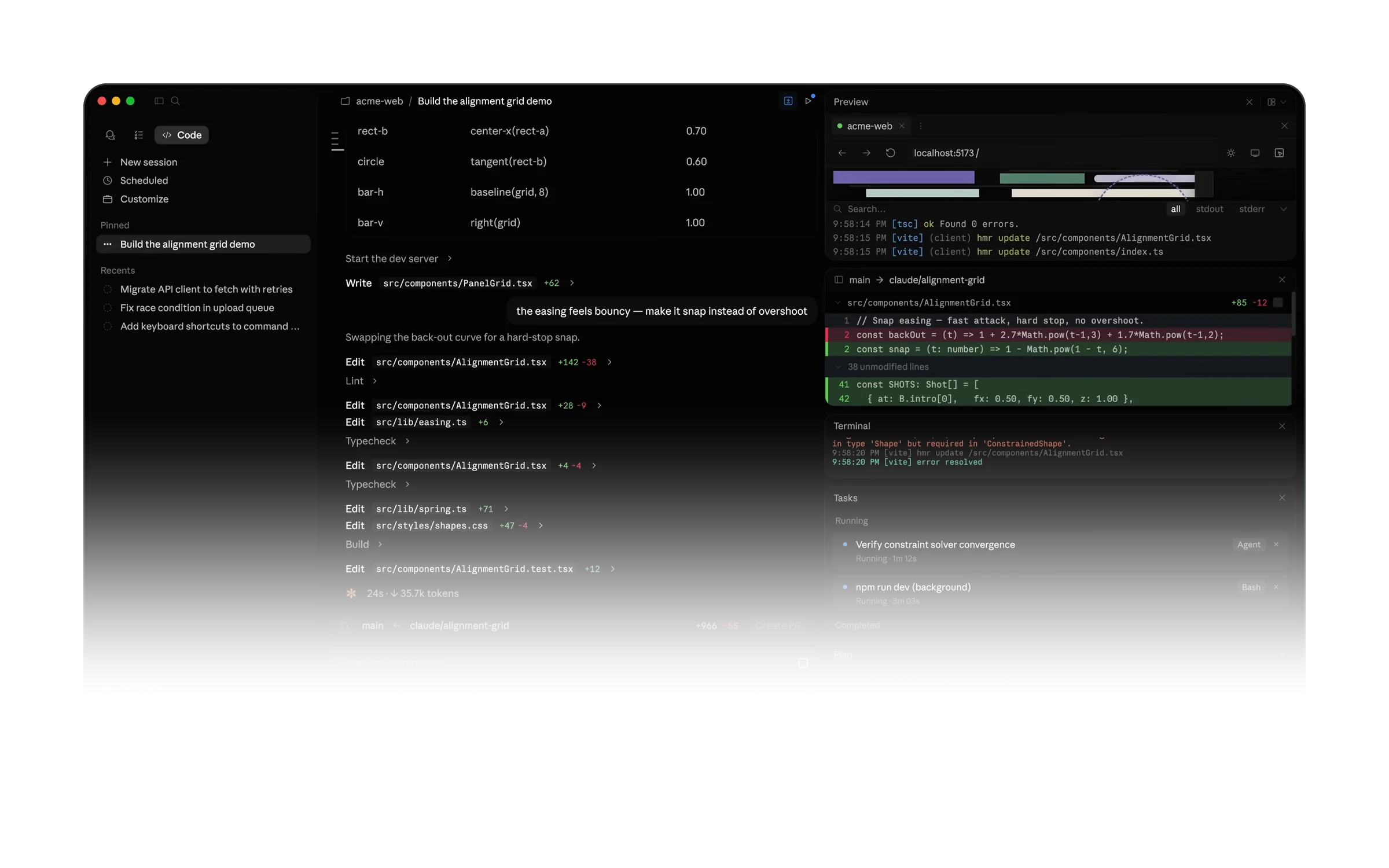
Good for: people who like a polished terminal workflow and are happy to centre on one model family. Trade-off: you're mostly tied to Anthropic's models and pricing, and the most hands-off permission modes only make sense once you've set up a safe place to run them.
Codex
OpenAI's coding agent, available through ChatGPT plans and the API. It comes in several shapes: the open-source (Apache-2.0) Codex CLI, an IDE extension, the Codex desktop app, and Codex Cloud, where each task gets its own isolated workspace and keeps going while your computer sleeps. You can start and steer those tasks from your desktop, the web or your phone.
OpenAI's answer to Cowork is ChatGPT Work, an agent for longer, multi-step work like research, reports, spreadsheets and presentations, with Codex kept for software work. The newest piece is dots: always-on agents in ChatGPT that you give a goal and the apps they need, each with its own cloud computer, and that can now start Codex tasks and follow up on Codex threads for you. Dots are still rolling out, and I haven't used one enough yet to say how good they are.
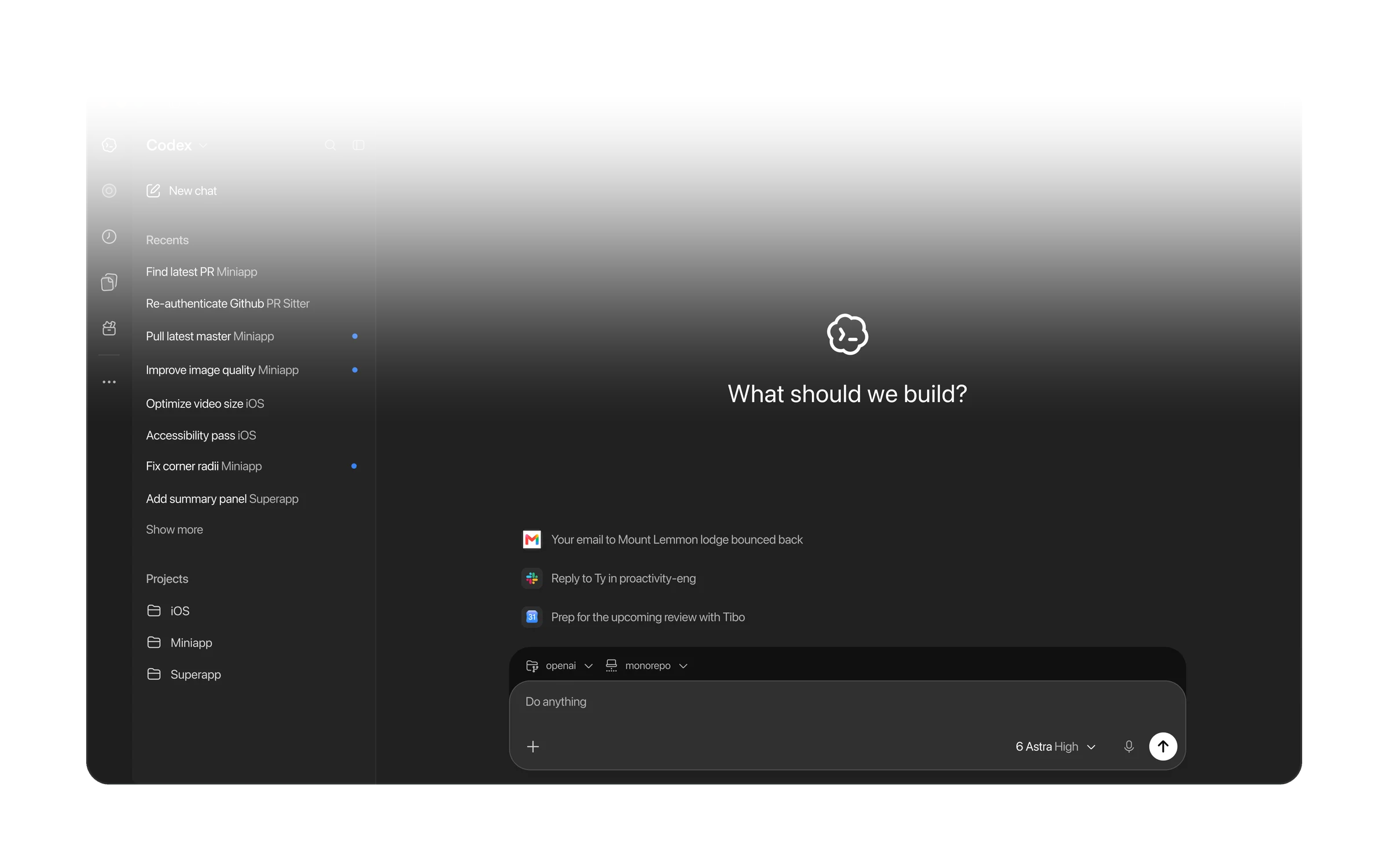
Good for: people already in the ChatGPT ecosystem who want local and cloud runs from the same place. Trade-off: it's designed first and foremost around OpenAI's models, and the newest pieces (ChatGPT Work and dots) are still settling, so expect the shape to keep changing.
Cursor
An AI-first code editor with an agent built in. Since Cursor 3 it has two front ends you can keep open side by side: the classic IDE, a VS Code fork with full editing, and the Agents Window, an agent-first chat interface for running and reviewing many agents across repos. There's a CLI too. It offers models from several providers, and supports rules, skills, sub-agents and MCP.
The other half is cloud agents. Each one runs in its own isolated VM with your repo cloned, dependencies installed and secrets available, so it can build, run tests and even drive a desktop and browser to check its work, then open a PR with screenshots or a video. You can start them from the desktop app, the web, your phone, Slack, GitHub, Linear or the API, and move a session between local and cloud as you go.
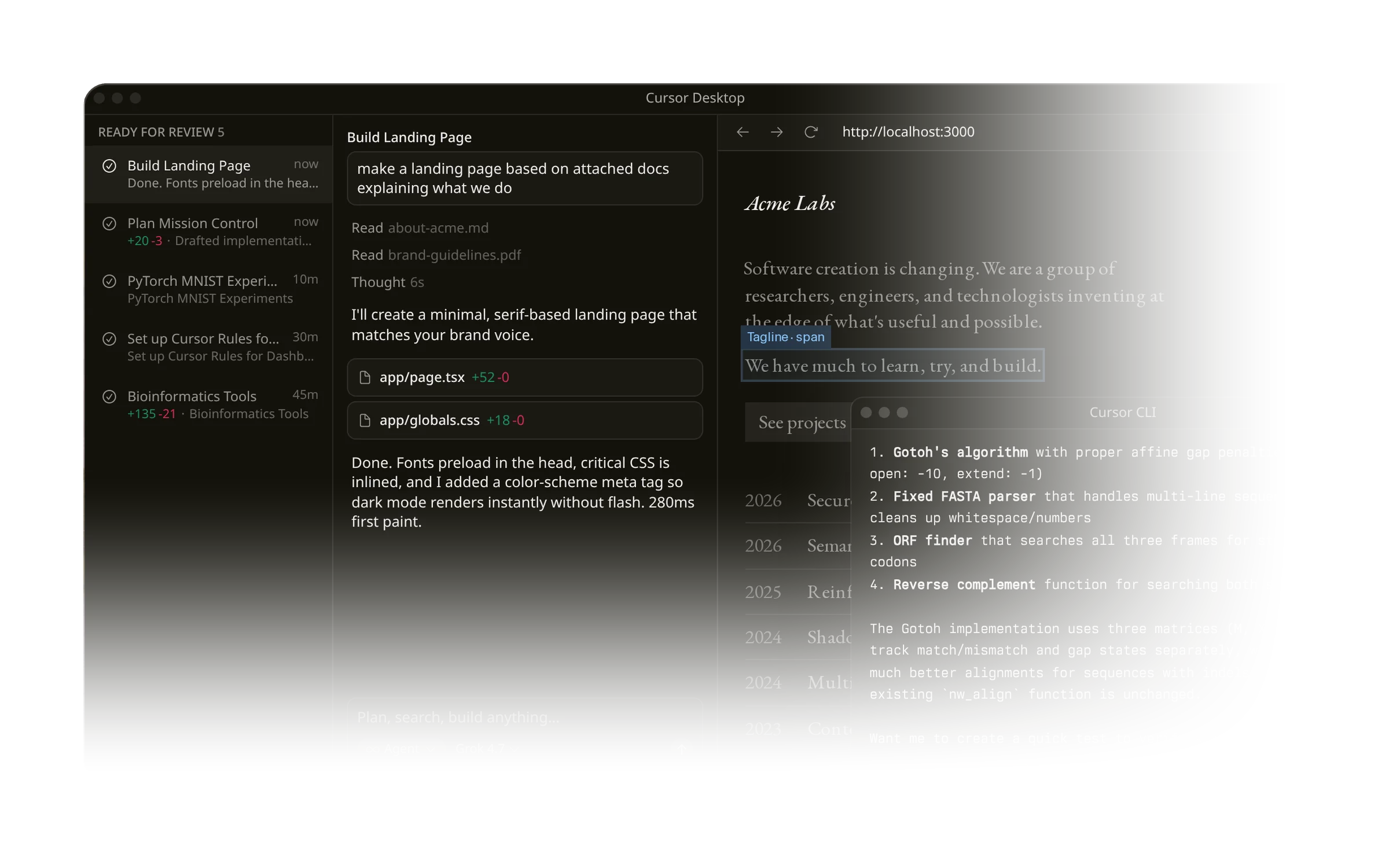
Good for: people who want the agent inside a full editor, with diffs and review in the same window, and the option to hand longer work to the cloud. Trade-off: the full experience means adopting its editor, a VS Code fork, and cloud agents need a plan that includes them, with long or loosely specified tasks using more of your limits than quick local edits.
The open-source harnesses
Pi
Pi, by Mario Zechner, is a deliberately minimal terminal harness (MIT-licensed). By default it gives the model four tools: read, write, edit and bash. It skips things like sub-agents, plan mode and built-in MCP on purpose. Instead, you extend it with TypeScript extensions, skills, prompt templates and shareable "Pi packages". It works with many providers and can run interactively, in a JSON/print mode, over RPC or embedded through an SDK.
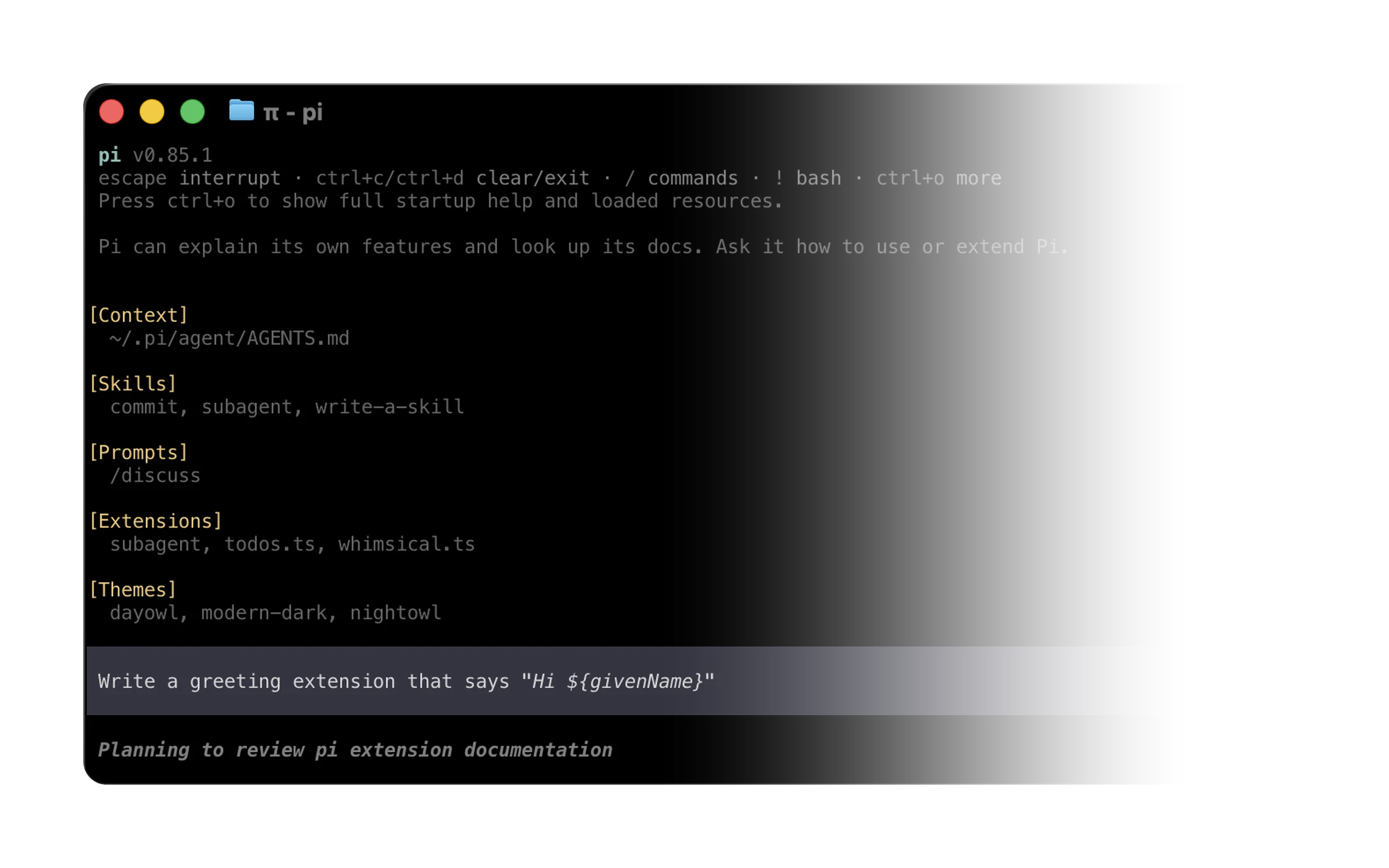
Good for: tinkerers who want a small core they fully understand and can shape to their own workflow. Trade-off: you build (or install) what others ship out of the box. Extensions run with your user's permissions, so only load ones you trust.
Hermes Agent
Hermes Agent is an open-source (MIT) agent from Nous Research, the lab behind the Hermes models. It can code, but it's really an always-on personal agent that gets better the more you use it. A built-in learning loop turns finished tasks into skills and refines them as you go, it keeps curated memory in plain files (MEMORY.md and USER.md), and it can search its own past sessions. It isn't tied to your laptop either: it runs locally, in Docker, over SSH or on serverless hosts like Modal and Daytona, and one gateway lets you talk to it from Telegram, Slack, Discord, WhatsApp or Signal. Add scheduled jobs that report back to any of those, isolated sub-agents, checkpoints you can /rollback, any model provider, and support for editors that speak the Agent Client Protocol (ACP).
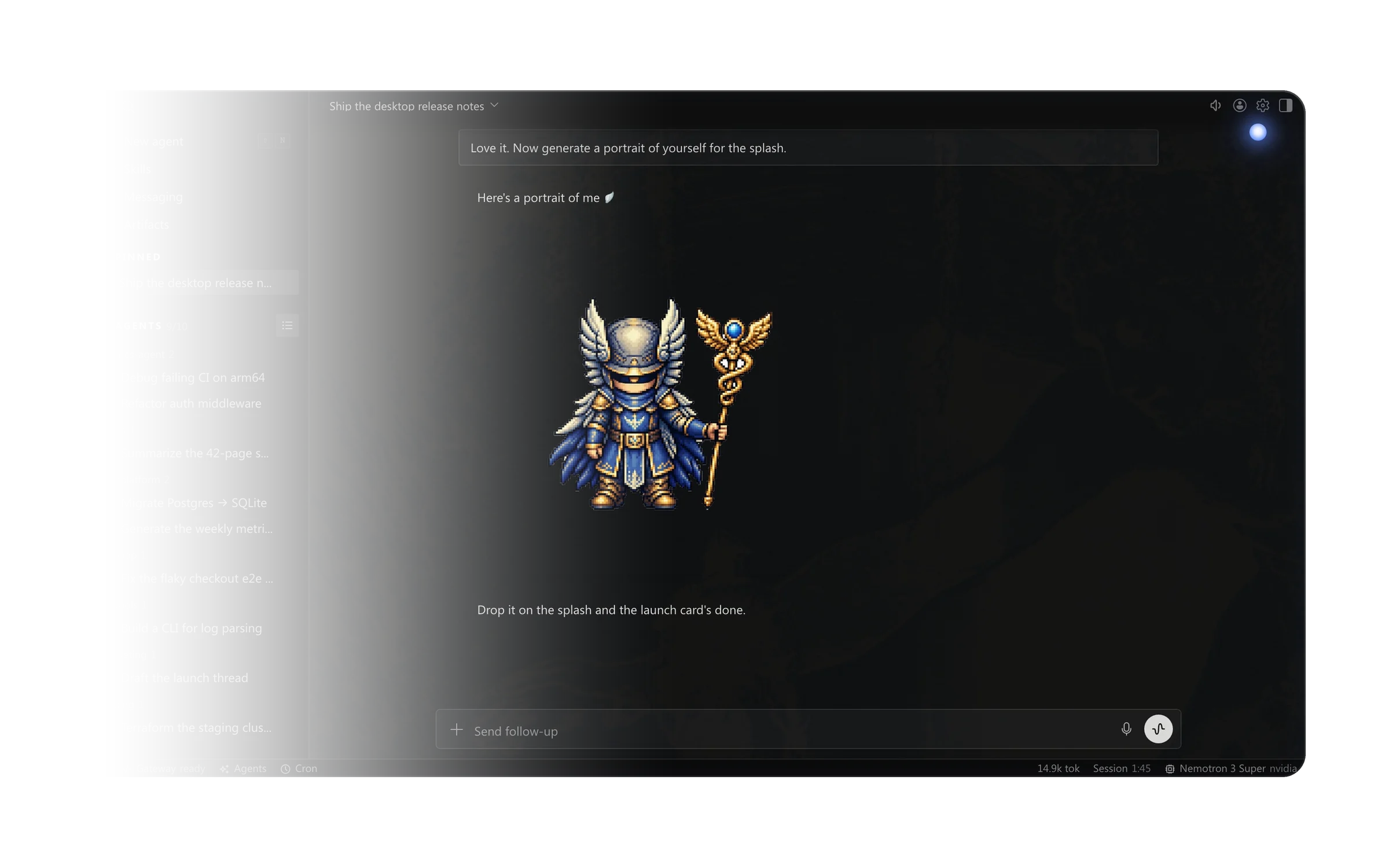
Good for: people who want one long-lived agent that remembers them across sessions, runs on a server rather than a laptop, and is reachable from their phone. Trade-off: more moving parts, and a bigger surface to secure if you connect it to chat platforms and give it shell access.
OpenCode
OpenCode is an open-source (MIT) coding agent from Anomaly, the team behind SST. Think of it as the open, model-agnostic take on the Claude Code experience. It connects to dozens of providers through Models.dev, including OpenRouter and local models, and comes with some free models. Its provider docs also cover signing in with some existing subscriptions, such as ChatGPT Plus/Pro and GitHub Copilot, though which ones are supported can change. Under the hood it's client/server: running it starts a local server, and the terminal UI is just one client. The desktop app, web UI, IDE extension and SDK talk to the same server, so you can run it on one machine and drive it from another. Tab switches between the full-access build agent and the read-only plan agent, with language servers, parallel sessions and /undo, /redo and /share on top. It's the open-source harness I've been connecting Grok Bot to on my own Mac.
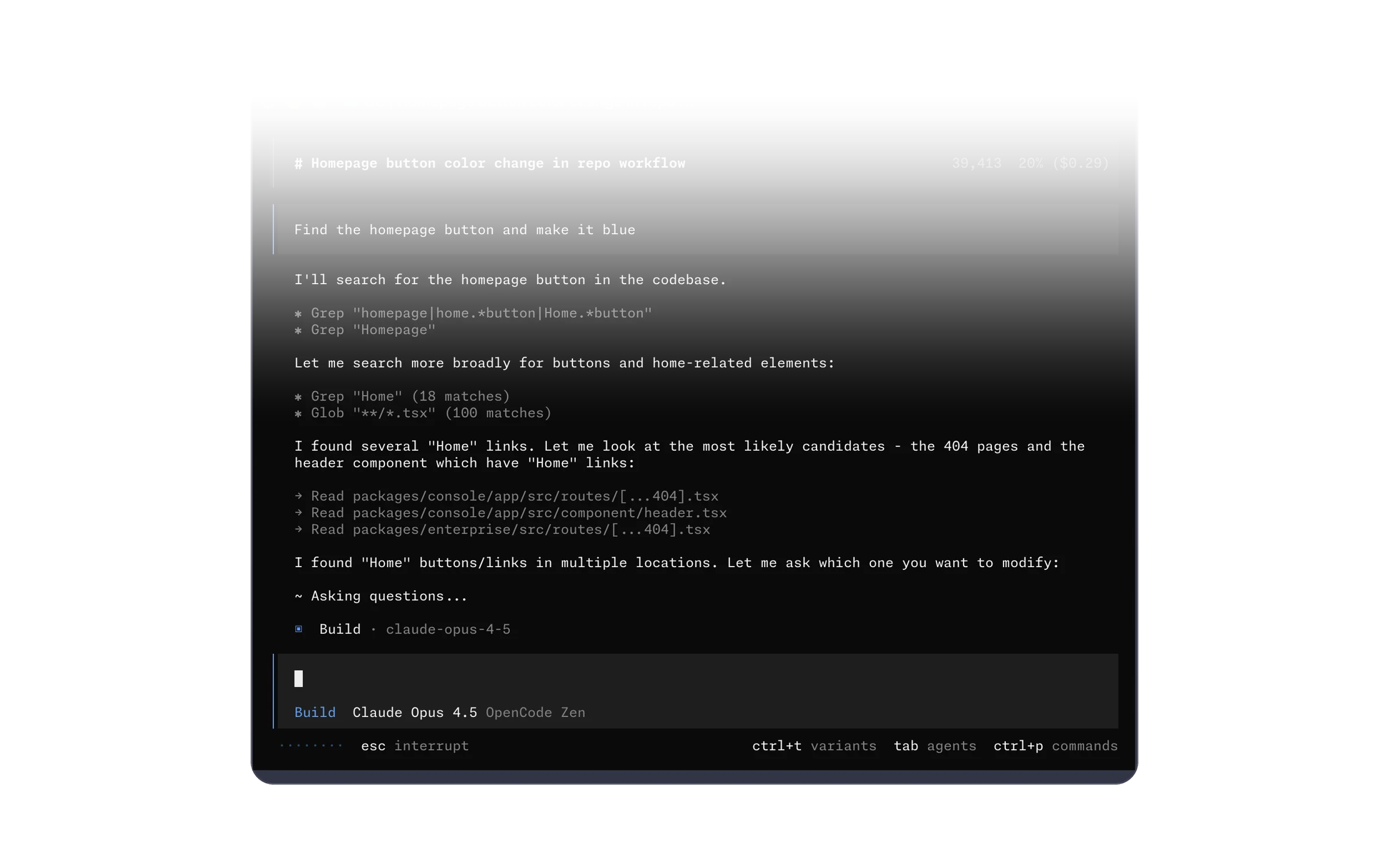
Good for: people who want something close to the proprietary terminal experience without being tied to one model vendor, or who want to drive one agent from several devices. Trade-off: beyond the free models and supported subscriptions, you manage your own provider keys and costs, and it's a fast-moving project to keep up with.
Kandev
Kandev is a different kind of tool. It's an open-source (AGPL-3.0), self-hostable workbench for orchestrating other agents. It gives you kanban and pipeline views, runs multiple tasks in parallel in isolated git worktrees, Docker containers or remote machines over SSH, and gives you an integrated place to review diffs and open PRs. It supports many agent CLIs, including Claude Code, Codex, OpenCode, Pi and Hermes, and advertises no telemetry.
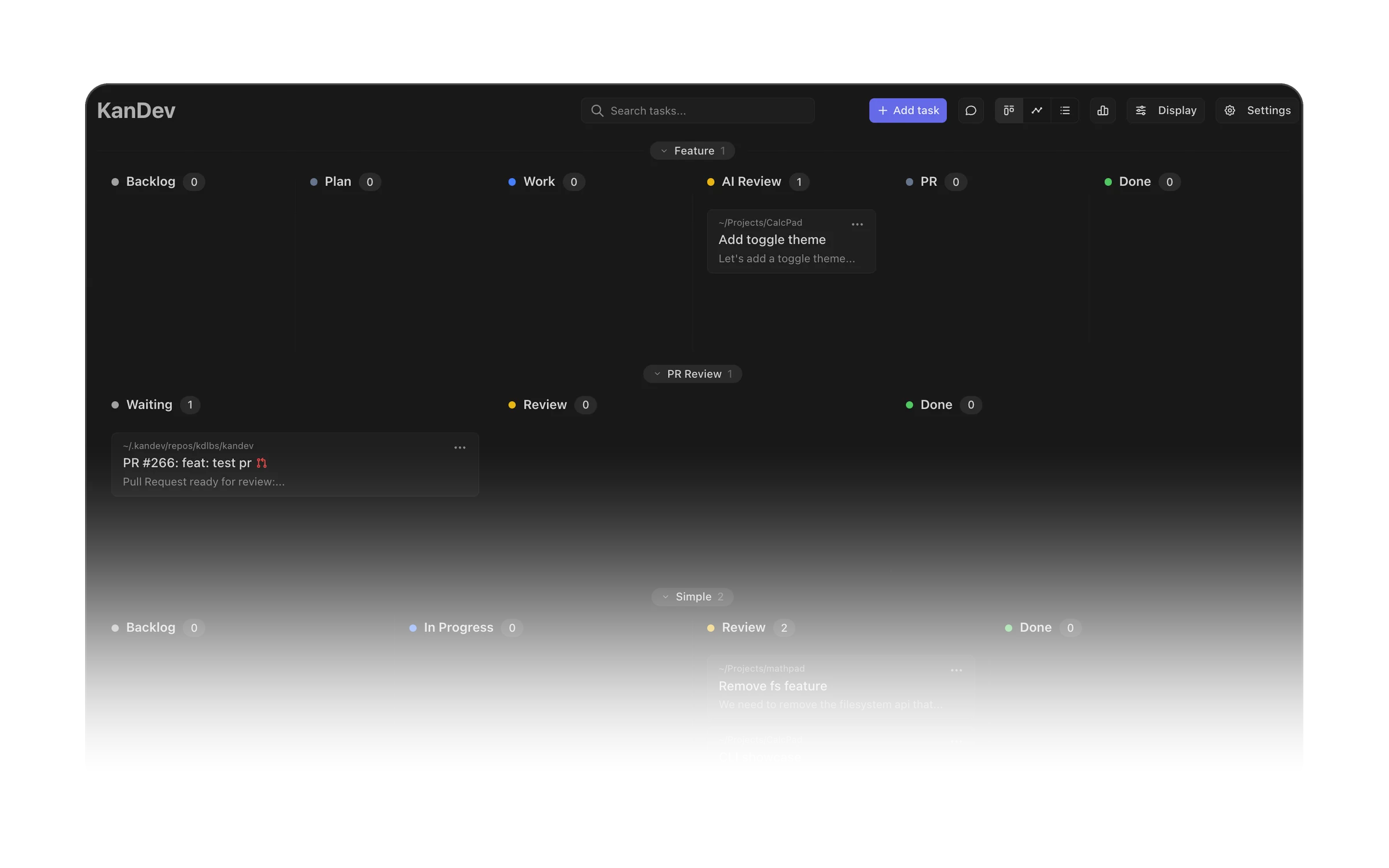
Good for: people running several agents at once who want a control plane and review gates rather than a dozen terminal tabs. Trade-off: it's another service to run, and it sits on top of the harnesses rather than replacing them.
Side by side
| Licence | Where it runs | Models | Extending it | Many agents at once | |
|---|---|---|---|---|---|
| Claude Code | Proprietary | Terminal, IDE, desktop, web | Mostly Claude | MCP, plugins, sub-agents | Yes |
| Codex | CLI open source; service proprietary | Terminal, IDE, desktop, cloud | Mostly OpenAI | MCP, config | Yes (cloud tasks) |
| Cursor | Proprietary | Editor, Agents Window, CLI, cloud VMs | Several providers | Rules, skills, MCP | Yes (cloud agents) |
| Pi | MIT | Terminal, RPC, SDK | Many providers | TypeScript extensions, packages | Build your own |
| Hermes Agent | MIT | Terminal, desktop, server, chat apps, ACP editors | Any provider | Skills, toolsets, MCP | Sub-agents |
| OpenCode | MIT | Terminal, desktop, web, IDE, SDK | Many providers, incl. local | Config, MCP, custom agents | Parallel sessions |
| Kandev | AGPL-3.0 | Self-hosted web UI | Whatever the agents use | Workflows, MCP | Yes, it's the point |
Grok Bot isn't in the table on purpose: it sits above these harnesses rather than being one of them.
Above the harness: Grok Bot
Grok Bot is the assistant I use day to day, and it works at a different layer from everything above. It's proprietary, and it's included with every paid individual Cursor plan and the Cursor Teams plan. You message Bots from a desktop or phone app, and each Bot works on a persistent cloud computer with a browser, files and a terminal. It uses connectors for apps like email, calendar, Linear and GitHub, falls back to the browser for sites without one, can hand pieces of work to other Bots, and runs saved skills as routines on a schedule. It keeps working with my laptop closed and comes back to me when something needs my approval.
It isn't just a connector between other tools, though. Grok Bot is powerful in its own right and runs on its own models under the hood, so it does real work itself on its own computer. I think of it as a coordinator: it runs things, and when a task gets bigger it hands it to an agent built for that job.
For repository work, that usually means a Cursor cloud agent. Grok Bot launches one, hands it the brief, follows its progress and reports back with the PR. I describe the outcome in a chat and review the result, and the cloud agent does the repo work in its own VM.
It doesn't have to stop at Cursor, either. You can build your own connections so Grok Bot can drive open-source harnesses too. I've been building a small bridge, a CLI called orb, that lets Grok Bot start and steer OpenCode sessions on my own Mac. That deserves a post of its own, so more on it soon.
Good for: people who want one assistant that handles work across apps itself and hands bigger coding tasks to agents built for them. Trade-off: it can act on your accounts, so the real work is deciding which connectors it gets and what it may do without asking.
What I actually use, and why
I use Cursor, Grok Bot, OpenCode and Codex, and Claude at work. Grok Bot runs things and hands bigger tasks to agents.
People sometimes ask which one wins on a real task, and I don't think that question has a useful answer. My tasks vary too much. Some are small tasks, some are fixes on my home server, some are complex projects that run for weeks, and plenty are something else again. They all have different needs, and forcing one tool onto all of them is a square peg in a round hole. So rather than a benchmark, I pick the tool that fits the job in front of me.
How I'd choose
I find it helps to start from how you work, not from feature lists.
"I want frontier models and as little setup as possible." Codex or Claude Code.
"I want OpenRouter's models and control over the whole setup." OpenCode.
"I live in my editor." Cursor, or an editor that speaks ACP with Hermes or another ACP agent behind it. Reviewing diffs where you already read code is a big quality-of-life win.
"I want to own every piece." Pi. You'll spend time shaping it, but you end up with exactly the tool you want and understand all of it.
"I want a long-running assistant, not just a coding session." Hermes Agent, ideally on a server with tightly scoped permissions.
"I run lots of agents in parallel and the bottleneck is review." Kandev on top of whichever harnesses you already like.
A few questions cut through most decisions:
- Lock-in: if your preferred model changes next quarter, how painful is the switch?
- Cost: do you pay a flat subscription, per token, or both? Open-source harnesses are free, but the model calls usually aren't.
- Privacy: what code and context leave your machine, and to whom? Read the privacy docs rather than assuming.
- Safety: what can the agent do without asking? The checklist below matters more as you hand over more.
A short safety checklist
- Run agents in git worktrees or containers, so a bad run is easy to throw away.
- Keep bypass-style modes, like Claude Code's
bypassPermissions, for throwaway environments only. - Scope connectors to what the task needs, and prefer read access until write access is clearly needed.
- Never give a long-running agent production credentials.
For a small team
The same split works for a team: frontier models only points to Codex or Claude Code, and OpenRouter models with full control points to OpenCode. A few things matter more once more than one person is involved:
- Standardise on a default. Pick one tool everyone gets, and let people add others for the jobs that need them.
- Keep shared instructions in the repo, so every agent starts from the same conventions (more on that below).
- Agent PRs go through normal review. Same checks, same reviewers, same bar as any other PR.
- Know how the costs behave. Some tools charge per seat, some by usage, many both. Cloud agents and long-running tasks spend more than quick local edits, and open-source harnesses are free but you still pay per token for the models behind them.
Then governance. Before rolling anything out, check each vendor's data retention and training settings, turn on the admin and SSO controls your plan offers, and give connectors the narrowest access that does the job. An agent that can read every inbox and repo in the company is a bigger decision than which editor people use.
Portable setup
The cheapest insurance against lock-in is keeping your project instructions in plain files in the repo. Most harnesses read some version of them:
AGENTS.mdis the shared convention many tools read, including Codex, Cursor, OpenCode and Pi.CLAUDE.mdis Claude Code's equivalent.- Cursor rules live in
.cursor/rules. - Skills folders hold reusable instructions and scripts, and several harnesses now load them.
The content carries over well: build and test commands, code style, architecture notes, what not to touch. What doesn't carry over is the wiring around it, like permission settings, hooks, MCP configs and tool-specific frontmatter, so keep that layer thin. One easy trick is to write everything once in AGENTS.md and have CLAUDE.md point to it.
Wrapping up
There's no single best harness. The proprietary ones are polished and quick to start with, but they pull you towards one vendor. The open-source ones trade some polish for control over models, hosting and extensions, and they're improving fast.
My advice: match the tool to the job rather than crowning one winner, keep your project instructions in plain files that any harness can read, and stay ready to switch. The harness should fit your workflow, not the other way round.